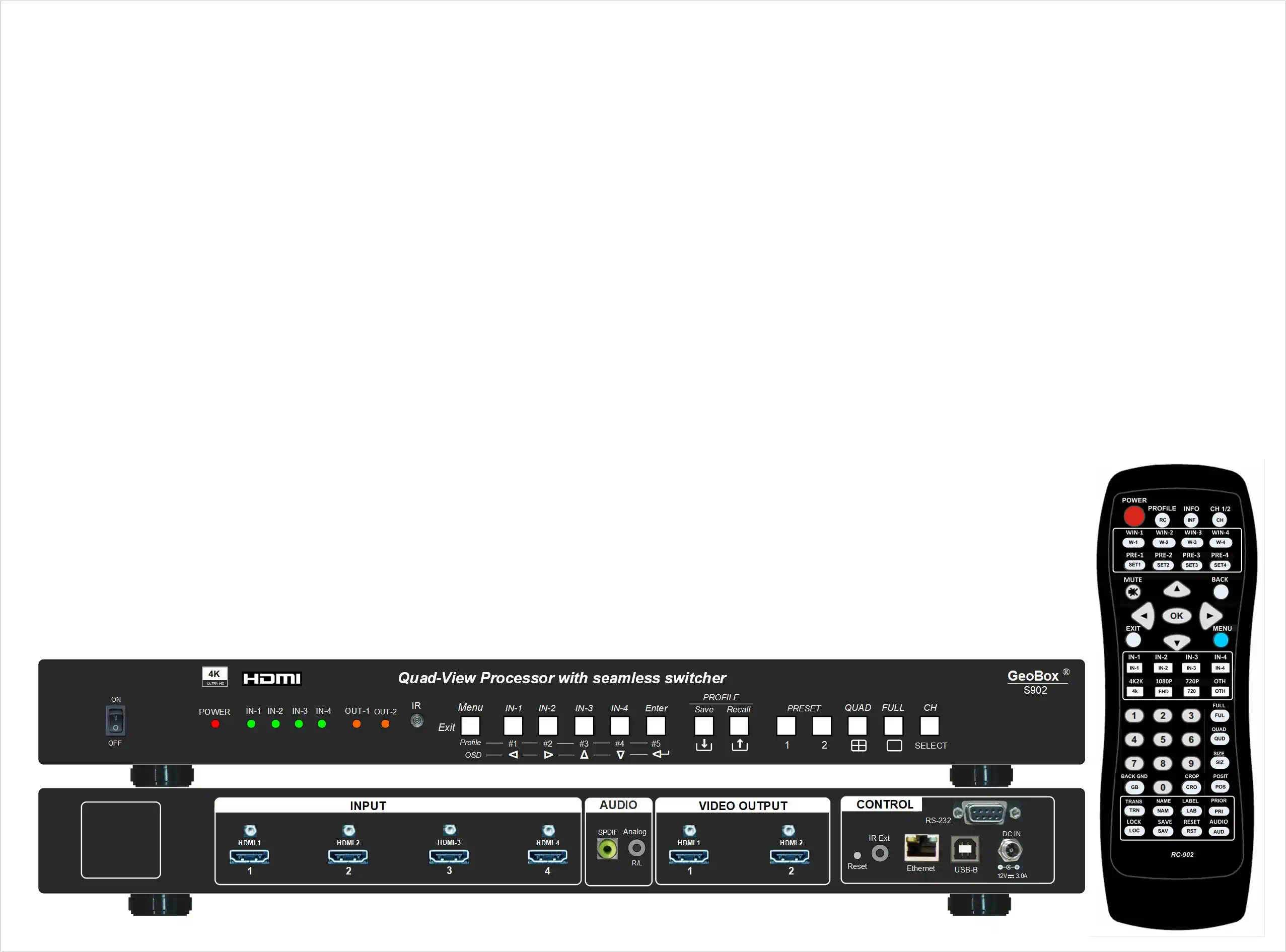
Real Time Quad View Event Controller
What is a quad view processor?
- A quad view processor displays four independent inputs on one screen, giving control over window size, position, layering, and cropping. Unlike a 4x2 HDMI switcher that selects one source per output, a quad view processor renders multiple sources simultaneously for true multi‑camera monitoring.
Common questions answered
- How do I build picture‑in‑picture at 4K?
- Resize, crop, and set overlap priority per window to create PiP at 4K.
- How do I keep content smooth during layout changes?
- Recall preset or custom layouts with transition effects for seamless switching.
- What’s the difference from a 4x2 HDMI switcher?
- Yes—resize, crop, and set overlap priority per window.
- How can I keep content smooth during layout changes?
- Quad view and multi view processors render multiple inputs together; switchers output one source per display.
Real‑world scenarios
- Live stage: camera A/B/C + graphics on one screen; program feed on a second screen with distinct audio.
- Esports: game feed, player cam, minimap, stats dashboard combined into a consistent quad.
- Control room: SCADA, CCTV, dashboards, alerts unified on UHD with fast layout recall.
- Corporate keynote: presenter, slides, audience Q&A, social wall together for a single operator view.
Why teams choose S902
- Fast operator control: instant layout recall (12 presets) and deep customization (20 slots).
- Consistent 4K/60 across inputs: smooth visuals maintained during transitions and cropping.
- Two‑display versatility: mirror or show different content, each with unique audio and background.
- Front‑end for larger systems: works as the controller feeding video walls or large‑scale display systems.